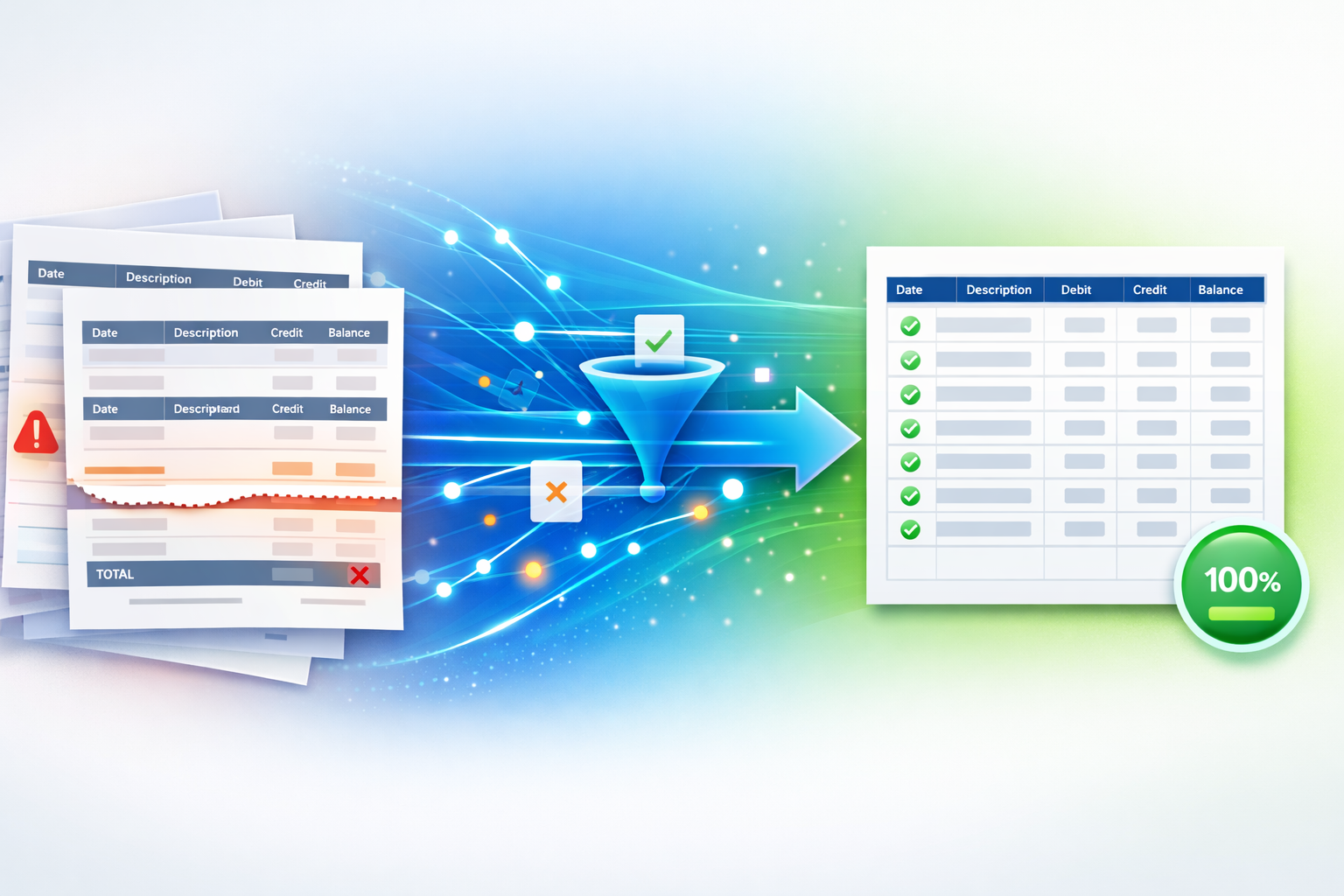
Multi-Page Bank Statement to CSV: Why Transactions Go Missing (And How to Stop It)
Page breaks, repeated headers, and summary rows trick most converters into dropping transactions. Here's how to catch and prevent every missing row in your CSV.
We have all been there: staring at a lengthy PDF bank statement, knowing you need that data in a clean, editable format. For anyone handling finances, whether for personal budgeting, a small business, or professional accounting, converting bank statements to CSV is a daily necessity. It lets you easily track expenses, reconcile accounts, and import data into tools like QuickBooks or Xero.
But if you have ever tried to convert a multi page bank statement to CSV using a generic online tool, you know the frustration. Crucial data vanishes, transactions get mixed up, and you spend hours cleaning up the mess. The primary culprits are page breaks, repeated headers, totals rows, and carry-forward balances.
This is not just a minor inconvenience. It can lead to missing transactions, skewed reports, and a monumental waste of time. I once spent an entire Saturday manually correcting an imported CSV because a free converter mishandled a client’s 50-page statement. Never again.
Today, we will explore why these common PDF features wreak havoc during conversion and how purpose-built solutions ensure every transaction makes it to your CSV, perfectly intact.
The Hidden Traps: Why Multi-Page PDFs Challenge Generic Converters
Bank statements are designed for human readability, not simple machine extraction. Their complex layouts, especially across multiple pages, are where generic tools stumble.
Page Breaks: Splitting Transactions Apart
Imagine a single transaction that starts on one page and concludes on the next. A basic PDF table extraction bank statement tool may see the page break as a hard stop, splitting that single entry into two incomplete rows. When you try to import this into your accounting software, you are left with incomplete data or even lost entries. It is like cutting a sentence in half. The meaning is lost.
Repeated Headers: Duplication Disaster
Every new page of a bank statement typically repeats the column headers such as Date, Description, Debit, Credit, and Balance. While helpful for reading, a non-specialized converter often extracts these headers on every page, treating them as new data rows. This clutters your CSV with redundant information, making filtering and analysis a headache. You end up spending time manually deleting duplicates.
Totals Rows: Mixing Non-Transactional Data
Bank statements often include totals rows at the end of a page or section, such as Total Debits, Total Credits, or Page Total. These are summary figures, not individual transactions. Generic converters cannot tell the difference and pull these totals into your CSV, confusing your transaction data and inflating numbers if you are not careful.
Carry-Forward Balances: Confusing the Flow
Many multi-page statements show a Balance Brought Forward at the top of each new page and a Balance Carried Forward at the bottom. These entries are important for continuity but are not transactions. If a converter treats them as transactions, reconciliation becomes difficult. You may see duplicated balances or lose track of the true flow of funds.
The Solution: Specialized PDF Table Extraction for Bank Statements
Avoiding these pitfalls requires a smarter approach. A dedicated multi page bank statement to CSV solution understands the structure of financial documents. These tools are not generic PDF converters. They are built with financial logic in mind.
A robust solution typically offers:
Intelligent page stitching
Transactions split across pages are detected and reassembled into single, complete rows.Smart header removal
Repeated headers are automatically identified and removed, leaving a single clean header row.Exclusion of totals rows
Summary rows are filtered out so only real transactions remain.Proper handling of carry-forward balances
Opening and closing balances are interpreted correctly and not added as false transactions.Format flexibility
Support for multiple bank layouts with automatic adaptation.
Actionable Insights for Flawless Data Conversion
To ensure accurate multi page bank statement to CSV conversion, follow these best practices:
1. Choose the Right Tool
Do not rely on generic PDF converters. Use a solution designed specifically for bank statements that handles page breaks, headers, totals rows, and balances. Platforms like bank Bank Statements CSV are built for these exact challenges.
2. Verify Your PDF Quality
Whenever possible, use text-based PDFs rather than scanned images. While advanced tools use OCR, a native digital PDF always produces better results. If your statement is scanned, ensure it is clear and high resolution.
3. Review the Output
Even with the best tools, always do a quick review. Open the CSV in Excel or Google Sheets and compare a few pages with the original PDF. Check for:
- Consistent date formats
- Correct debit and credit placement
- No repeated headers or totals rows
- No missing or split transactions
4. Categorize and Analyze
Once your data is clean, you can categorize transactions, add notes, and import the CSV into accounting or budgeting software. This is where clean data truly delivers value.
The Bottom Line: Accuracy Drives Efficiency
Converting a multi page bank statement to CSV does not have to be painful. By understanding where generic converters fail and choosing a tool built for financial documents, you protect data integrity and save valuable time. Accurate data powers better bookkeeping, clearer reporting, and smarter financial decisions.
Do not let messy conversions or missing transactions slow you down. Use a specialized PDF table extraction bank statement solution and streamline your financial workflow with confidence.
Ready to turn your bank statements into clean, accounting-ready CSV files? A purpose-built solution like Bank Statements CSV can handle even the most complex multi-page statements with speed and accuracy.