PDF to CSV Bank Statement Converter: The Complete How-To Guide (2026)
Accountants waste 3–5 hours a week on manual bank data entry. This guide shows how to convert any PDF bank statement to CSV in under 60 seconds.
Tired of Manual Data Entry? How a PDF to CSV Converter Transforms Your Financial Workflow
Every accountant, bookkeeper, and business owner understands the dread of bank statement day. Piles of PDF bank statements staring back at you, demanding hours of painstaking manual data entry into spreadsheets or accounting software. It's a task that's not just tedious but also prone to human error, consuming valuable time that could be spent on strategic financial analysis or client engagement.
But what if there was a better way? Imagine converting those complex PDF documents into perfectly organized CSV files in a flash, with accuracy you can trust. This isn't a distant dream; it's the power of a modern PDF to CSV converter. Let's explore how this essential accounting tool is changing the game for financial data management.
The Hidden Costs of Manual Bank Statement Processing
Before we dive into the solution, let's acknowledge the common struggles. I remember a time early in my career, grappling with a client's year-end reconciliation. Their bank statements, spanning multiple accounts, were all in PDF format. I spent two full days manually typing transactions into an Excel sheet. By the end, my eyes ached, my fingers cramped, and despite double-checking, I still found a few minor discrepancies that required even more time to fix. This isn't just my story; it's a shared experience across the financial sector.
Manual data entry leads to several challenges:
- Time Drain: Hours are lost transcribing information, directly impacting productivity.
- Error Risk: Even the most meticulous individual makes mistakes, leading to imbalances and rework.
- Delayed Insights: The time spent on data entry postpones valuable financial analysis.
- Resource Intensive: It ties up staff who could be focused on higher-value tasks.
For bookkeeping software users and accounting tools implementers, this inefficiency is a bottleneck. It hinders quick bank data export and smooth integration with systems like QuickBooks or Excel.
Unlock Efficiency: What is a PDF to CSV Converter and Why You Need One?
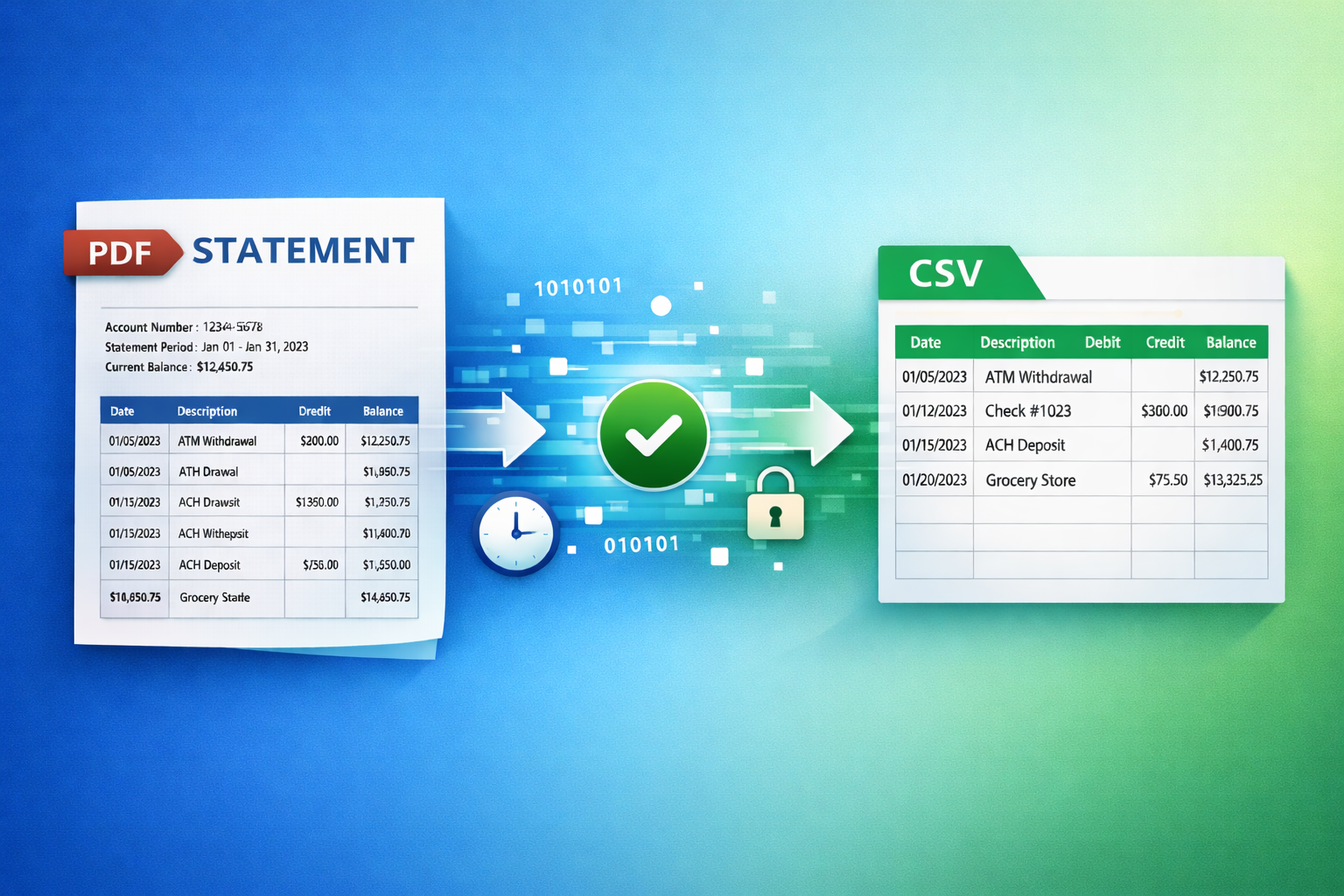
At its core, a PDF to CSV converter is a sophisticated digital tool designed to extract transactional data from PDF bank statements and transform it into a structured Comma Separated Values (CSV) format. Think of it as a smart bank statement parser that reads your PDF like a human but with superhuman speed and precision.
Visual suggestion: Infographic showing a PDF document transforming into a structured CSV file with columns like Date, Description, Debit, Credit, Balance.
Why is this conversion so critical? CSV files are universally compatible with virtually all accounting software, spreadsheet programs like Excel, and financial data management systems. This means once your bank statement to CSV conversion is complete, your data is instantly ready for:
- Quick Reconciliation: Easily match transactions in your ledger.
- Detailed Reporting: Generate custom financial reports without data manipulation.
- Budgeting and Forecasting: Analyze spending patterns with clear, exportable data.
- Tax Preparation: Organize income and expenses efficiently.
Beyond Basic Conversion: Key Features to Look For
Not all PDF to CSV converter tools are created equal. To genuinely revolutionize your workflow, look for features that prioritize both efficiency and security:
- Accurate Data Extraction: The best converters leverage advanced technology, often AI-powered, to accurately identify dates, descriptions, amounts, and balances, even from varying bank statement layouts. This ensures Excel bank statements are perfect from the start.
- Secure File Conversion and Privacy: Handling sensitive financial data requires top-tier security. Look for tools that offer secure file conversion, bank-grade encryption, and a strict no-data-storage policy. Your privacy is non-negotiable.
- Speed and Automation: The goal is to save time. Choose a converter that processes documents in seconds, not minutes, and can handle multiple statements simultaneously.
- Output Flexibility: Ensure the tool provides CSV for QuickBooks or other specific formats you might need for seamless integration.
- User-Friendly Interface: The conversion process should be straightforward, typically a simple drag and drop or upload.
Game-Changing Benefits for Financial Professionals and Businesses
Implementing a robust bank statement parser changes more than just your data entry process. It transforms overall financial operations.
For Accountants and Bookkeepers
- Massive Time Savings: What once took hours can now be done in seconds. Imagine processing a client's entire year of statements with a few clicks.
- Reduced Errors: Automated accurate data extraction minimizes the risk of human errors, leading to cleaner books and fewer discrepancies to chase down.
- Enhanced Client Service: With less time spent on manual tasks, you have more capacity to offer advisory services and build stronger client relationships.
- Scalability: Take on more clients without proportionally increasing your workload, boosting your firm's capacity.
For Businesses
- Improved Financial Control: Quickly import Excel bank statements into your bookkeeping software for up-to-date cash flow visibility.
- Faster Decision-Making: Access precise, reconciled financial data management to make informed business decisions promptly.
- Simplified Audits and Tax Prep: All your bank data export is organized and ready, significantly easing the burden of audits and tax filings.
- Cost Efficiency: Reduce the need for additional administrative staff dedicated solely to data entry.
My Experience: From Tedious Hours to Instant Insights
For years, I believed manual data entry was an unavoidable part of financial management. Then I discovered the efficiency of a dedicated PDF to CSV converter. I started small, testing it with a single, complex bank statement. The result was a perfectly formatted CSV in under 10 seconds. The feeling was liberating. No more squinting at tiny fonts, no more re-typing long transaction descriptions. This simple shift freed up hours each week, allowing me to focus on analyzing trends, identifying opportunities, and providing more value to my clients. It truly changed how I approached financial tasks, making them less of a chore and more about insightful management.
Choosing Your Ideal Bank Statement Conversion Tool
When selecting your bank statement to CSV solution, consider your specific needs. Are you an individual needing occasional conversions, or a business processing hundreds of statements monthly? Prioritize tools that openly discuss their security measures, accuracy rates, and how they handle your sensitive information. A tool that offers a seamless, intuitive experience, coupled with unwavering data privacy, will be your best asset.
Conclusion: Embrace the Future of Financial Data
The days of drowning in PDF bank statements are over. A high-quality PDF to CSV converter is more than just a convenience; it's a strategic advantage. It empowers accountants, bookkeepers, and businesses to reclaim their time, eliminate errors, and gain instant, accurate insights into their finances. By automating this crucial yet laborious task, you're not just converting files; you're transforming your entire financial data management approach.
Ready to transform your financial workflow? Don't let manual data entry hold you back any longer. Discover how effortless accurate data extraction can be with a reliable PDF to CSV converter today.